 Home


Deckbox for iOS & Android
Your collection.
One scan away.
Scan Magic: The Gathering cards straight into your collection. Check prices and keep your inventory and decks at hand wherever you play.

The iPhone app is in beta on TestFlight until it is on the App Store. It works with your real Deckbox account, and everything you add stays.
Free to download. 20 scanner additions a day with a free account. Unlimited additions with Premium.
Automatic detection
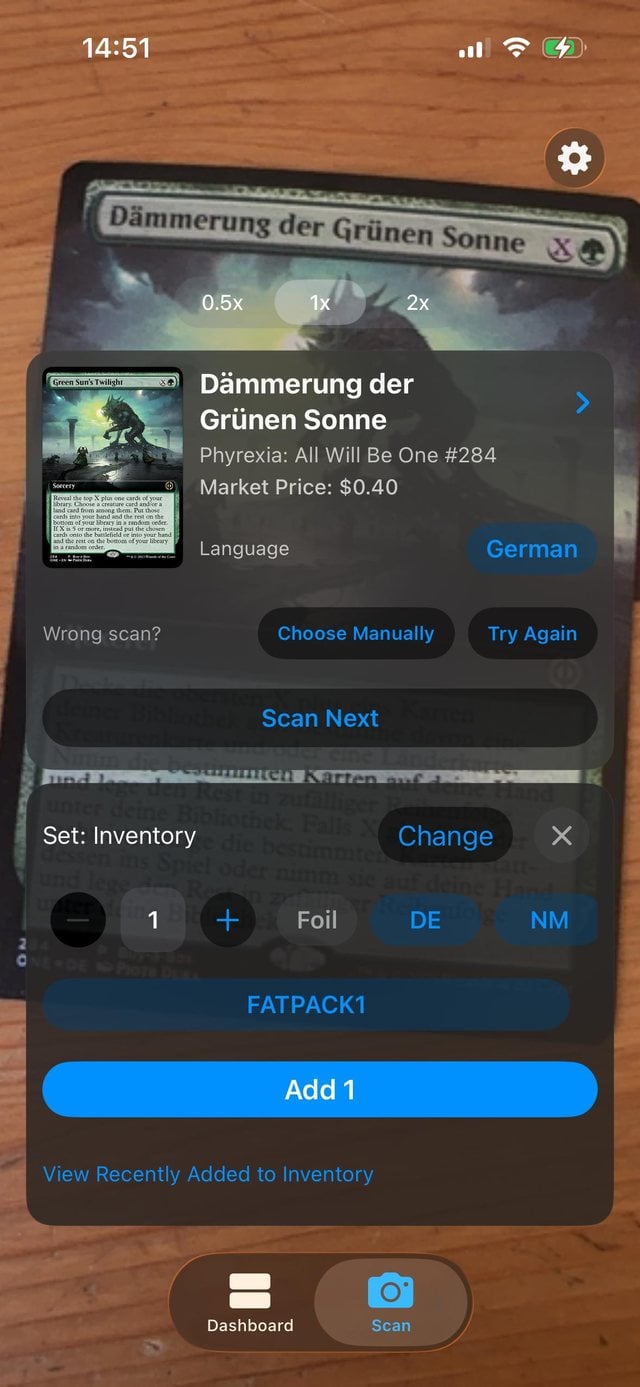
Point your camera at a card. The scanner automatically detects its printing, foil status, and language, and shows its price.
Add cards in a tap
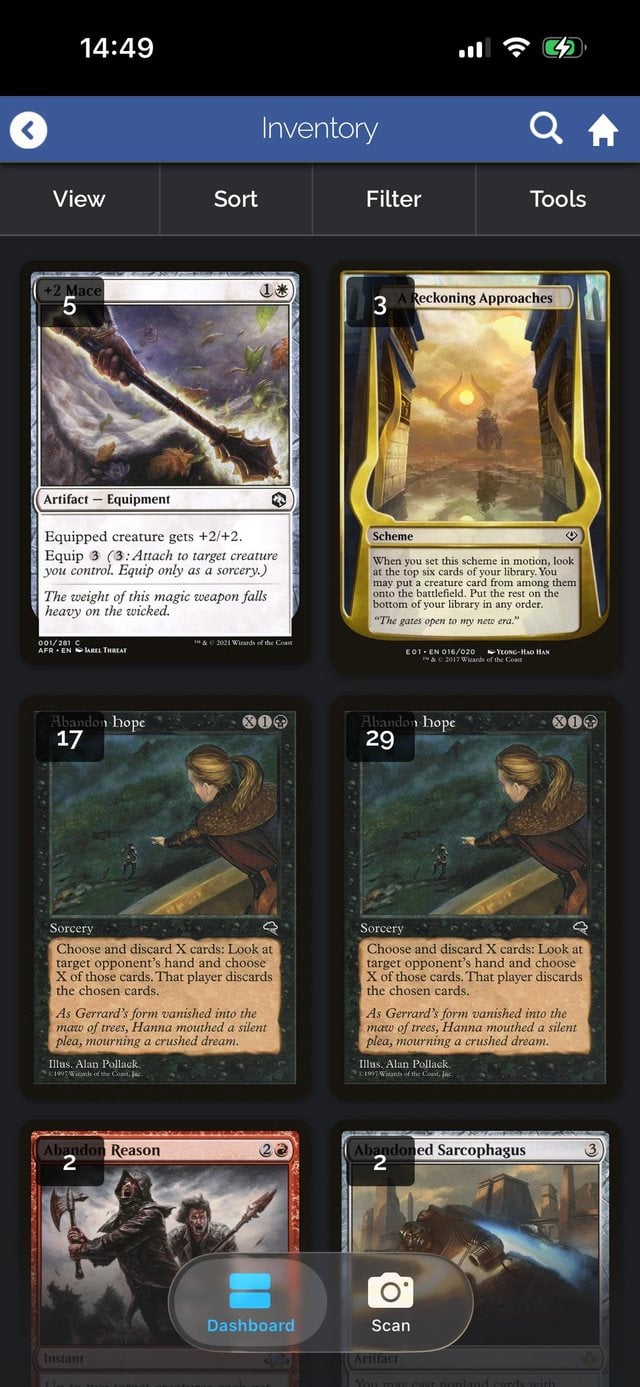
From your latest booster to a box waiting to be catalogued, add cards straight to your inventory, tradelist, wishlist, or a deck.
Your collection on hand
Check what you already own while browsing a shop, look up a price during a trade, or pull up your decks on game night.
From the card in your hand to your collection
The printing matters.
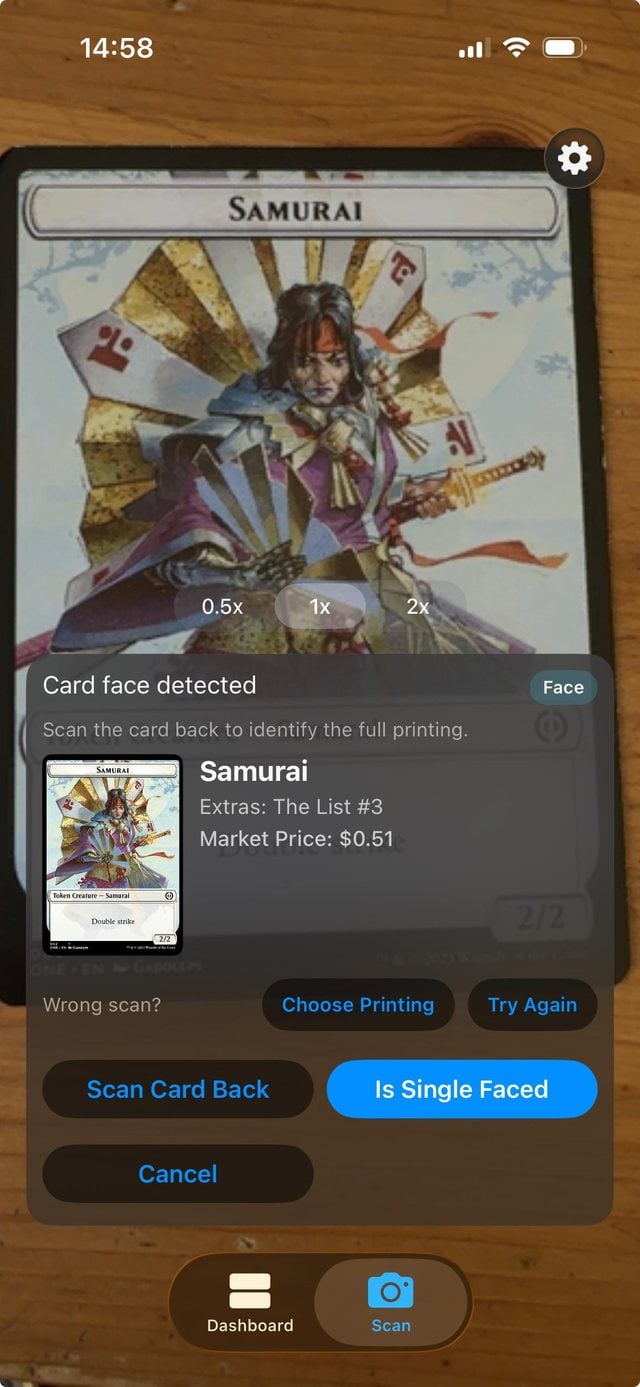
The scanner recognizes different editions, alternate-art printings, tokens, and double-faced cards, so you can catalogue the versions you own.
Scan cards on your phone and carry on organizing them at your computer. Your collection and decks stay synced with the website.
Try your first scan →A few things to know
Can I use my existing Deckbox account?
Yes. Sign in with the same account you use on the website. Your inventory, tradelist, wishlist, and decks are already there. If you have Premium, it works in the apps at no extra cost.
What is free, and what needs Premium?
Your account can hold unlimited cards and decks for free. Free accounts include 20 scanner additions per day; the allowance resets at midnight UTC. Premium includes unlimited scanner additions and additional tools for organizing, deckbuilding, and trading.
Which cards can I scan?
Magic: The Gathering cards, including alternate-art printings, tokens, and double-faced cards. The scanner automatically detects the printing, foil status, and language.
What do I need to get started?
Download Deckbox from Google Play, or the iPhone beta through Apple's free TestFlight app, and allow camera access to scan. A Deckbox account and an internet connection are required for collection features.
Is the iPhone app ready?
The iPhone app is in beta on TestFlight until it is on the App Store. It works with your real Deckbox account, and everything you add stays.
How can I get help or send feedback?
Email support@deckbox.org or visit the forum. For information about camera access and optional scanner uploads, see our Privacy Policy.
Put your next stack of cards on Deckbox.
Get the app and start with your first scan.
New to Deckbox? Create a free account.