The Hobbit
released on August 14, 2026!

Order now on CardKingdom Order now on TcgPlayer

The Hobbit
released on August 14, 2026!

Order now on CardKingdom Order now on TcgPlayer
22 total results       Page 1 of 1
You must login or register to post a new reply
Posts [ 1 to 22 ]
Trade score 13 (100%)
Administrators
Registered: 18-May-2009 18:29
13-Aug-2026 13:53 (Last edited: 13-Aug-2026 13:55)
1
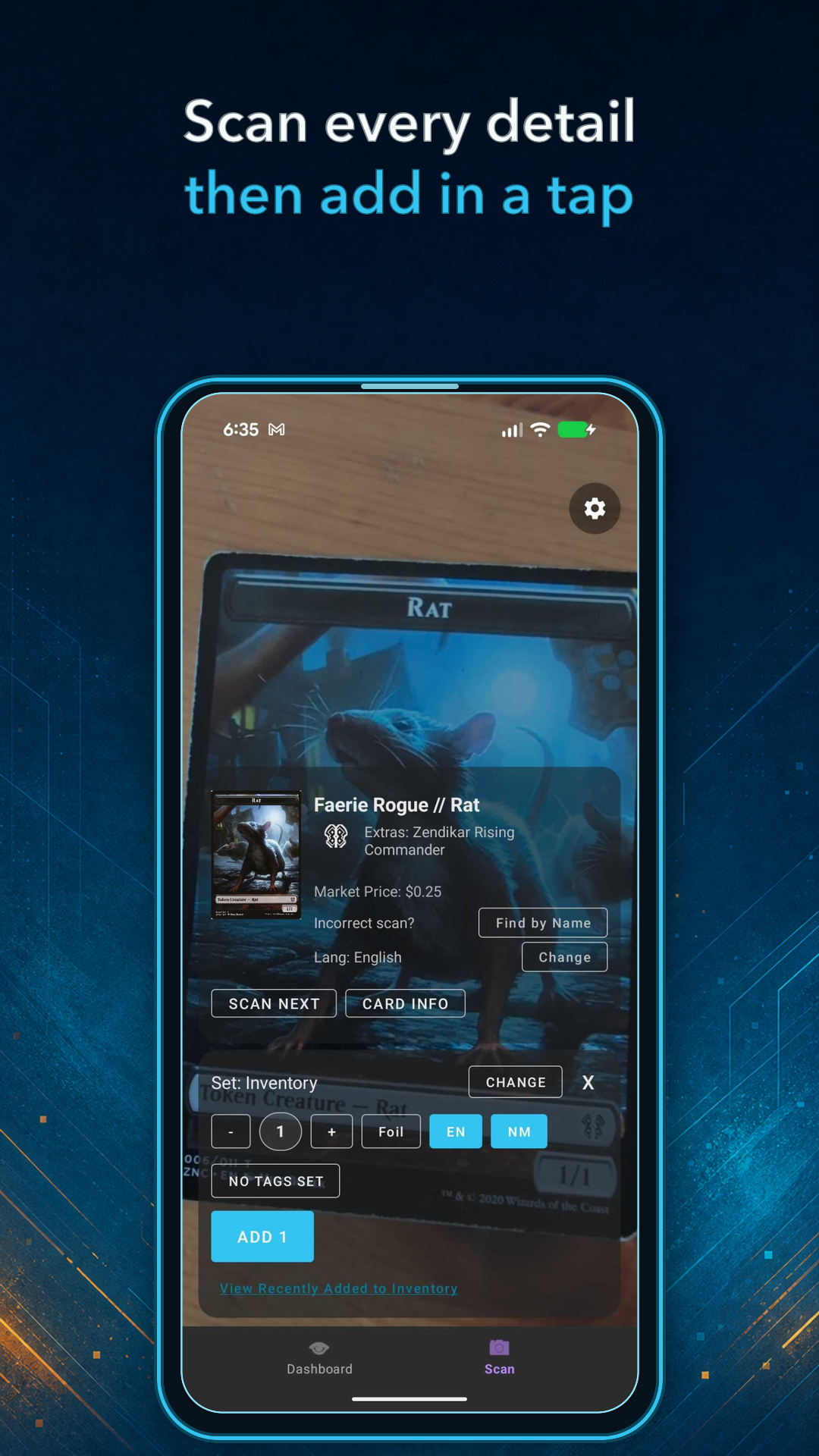
I'm excited to present the closed beta of the upcoming Deckbox mobile apps for Android and iOS!

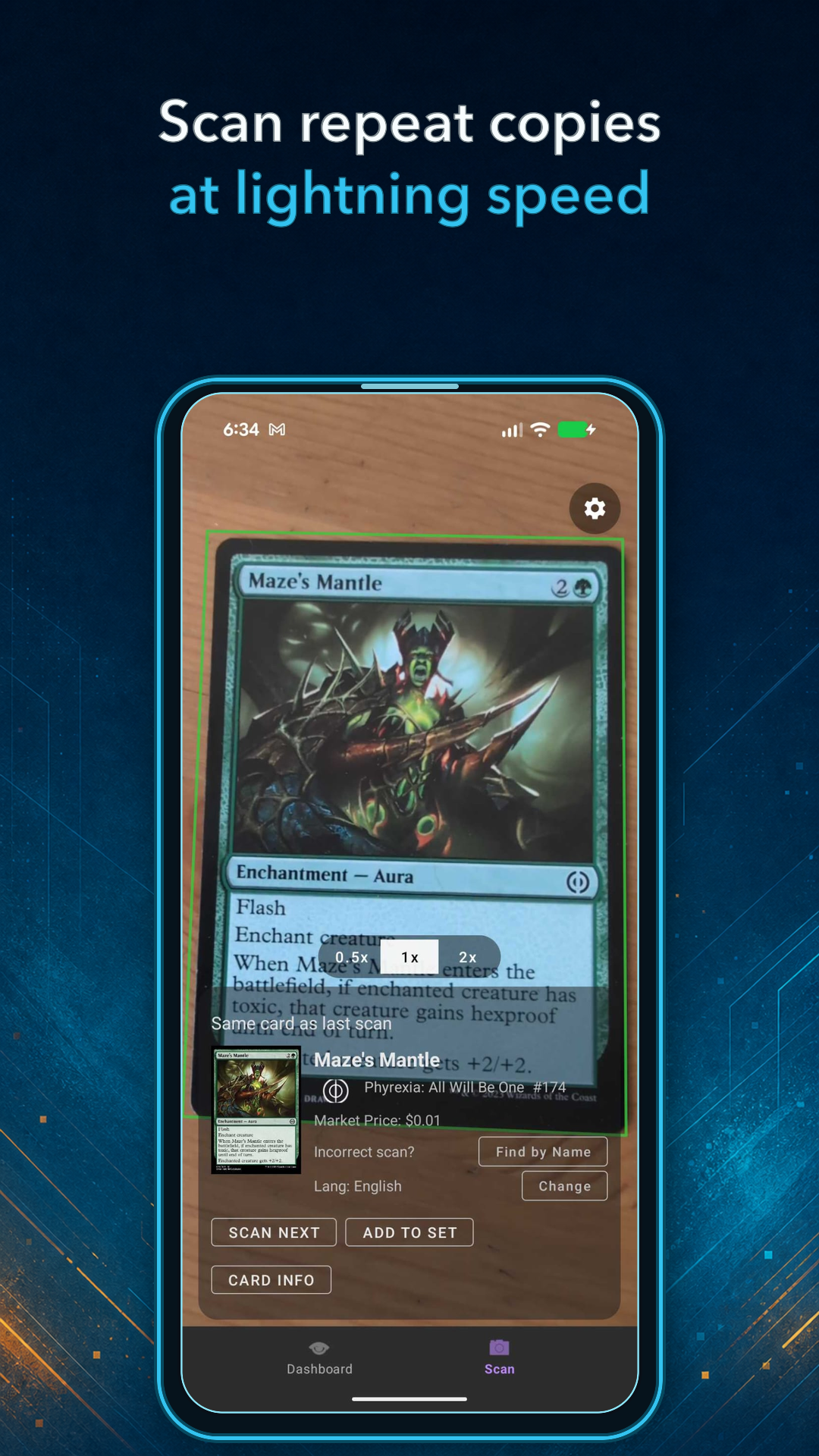
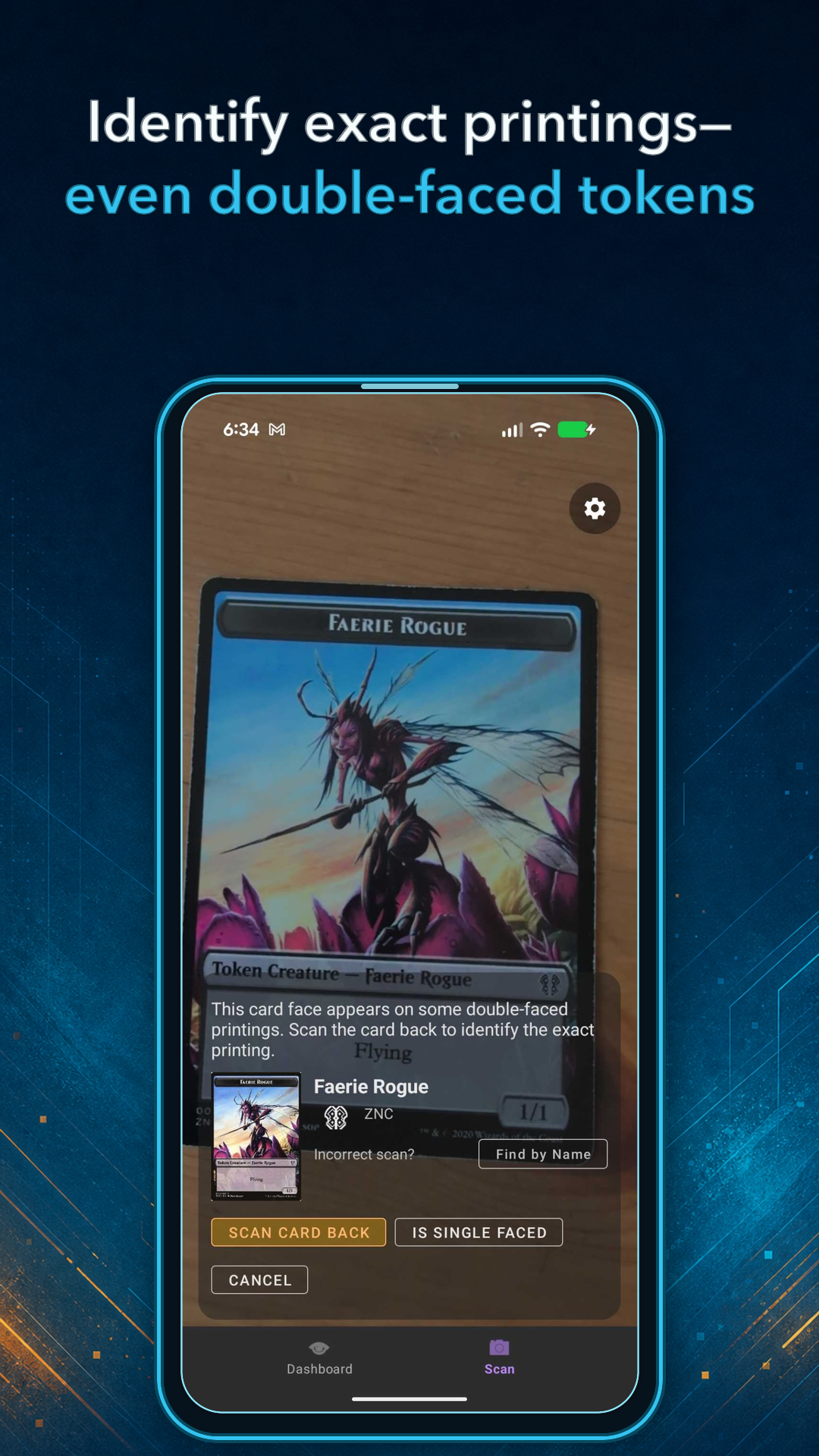
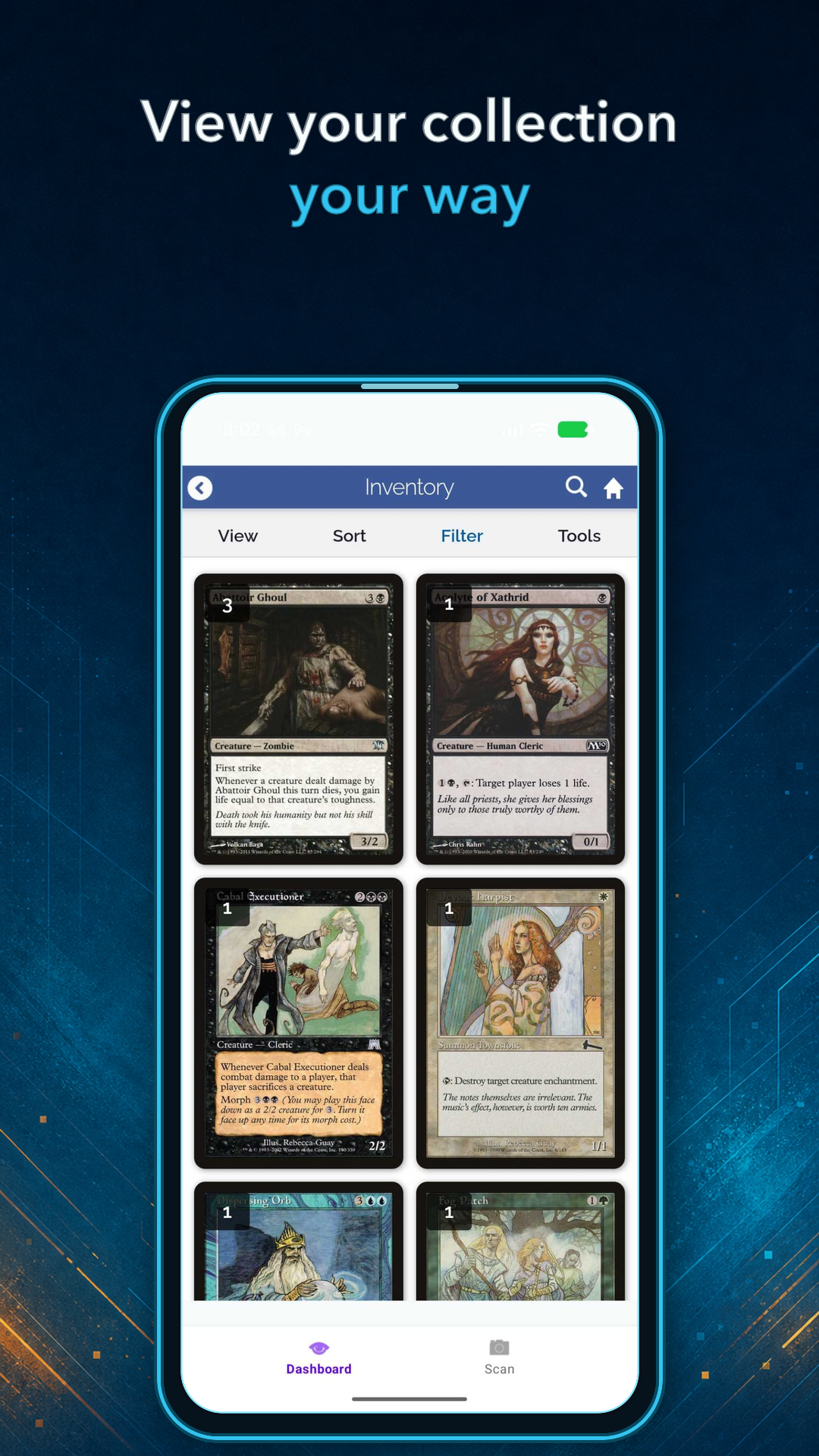
The biggest feature is the fast card scanner for adding cards directly to your collection. Additionally the apps package parts of the web mobile interface, for browsing and managing the collection and decks.


This is beta preview, so you may encounter rough edges. I would especially like to hear about scanner accuracy, confusing workflows, bugs, and anything that would make the apps more useful. Allowing debug data collection for improving the scanner also helps a great deal!

For this first phase, the closed beta is available to Premium members. You can find the Android and iOS installation instructions here: Join the Deckbox mobile beta
Depending on how testing goes, I'd like to move very fast to an open beta, to avoid the wonkiness of the closed beta procedures.

Please share your feedback in this thread or a private support ticket. Looking forward to hearing what you think!
Trade score 63 (100%)
Members
Registered: 04-Dec-2019 23:32
Trade score 246 (100%)
Members
Registered: 27-Feb-2015 04:21
This is super exciting! I can't wait!
Trade score 645 (100%)
Members
Registered: 24-Aug-2016 19:22
Trade score 42 (100%)
Members
Registered: 10-Oct-2023 02:07
Trade score 498 (100%)
Community Admins
Registered: 08-Oct-2012 14:08
I had some odd cards to add to my collection (the challenge decks from Theros block) and the scanner worked quite well overall. It is so fast to add a bunch of cards this way -- so much faster than typing/searching.

I found that there were several times were the card was marked as foil when it wasn't and a few times where the cards were marked as German instead of English. I don't know if I hit the foil button or not, but I really don't think that I hit the language accidentally to change things to German. I had my defaults set to English and non-foil. Given that I was just scanning into a deck this was easy to catch. If I had been scanning into my collection this type of error would be harder to spot.

A few times the scanner came up with the wrong card, but it picked out the right card on the second attempt.

The app wasn't refreshing the decklist when I used the arrows to navigate back to the deck, but looking on my computer would bring up the updated deck list, or if I navigated there again rather than using the back arrows then the decklist was properly updated.

After adding cards to a deck and then navigating back to my deck lists, it would be handy to have the same navigation path available. Instead I would have to click Sets -> Precons each time to get back to the list of Challenge Decks.

Super impressed by the speed and accuracy overall.
Trade score 13 (100%)
Administrators
Registered: 18-May-2009 18:29
Thanks a lot for the testing and feedback!

The language detection is still wonky when the image is blurred, but I am confident this can be extremely accurate with some more training data. I will think of how to make this more visible in the mean time, so one can quickly spot mis-detections.

The foil detector on the other hand - this one I'm still a bit unsure about. It works excellent when the lighting is just right, but there are many cases where the reflection and lighting conditions are such that it is very hard to tell. Even for a human eye looking at the photo (at least *my* human eye) it's sometimes almost impossible to tell it's foil, although in real life I can clearly see this. So this part needs some more work. But I should also make it more obvious when it *thinks* it's foil so you can correct it, or make it way less eager in the mean time, and only mark foil when extremely confident...

The stale decklist issue should be fixed in the next release.
Trade score 498 (100%)
Community Admins
Registered: 08-Oct-2012 14:08
For the foils issue, I was scanning while the cards where still sleeved, so that might have made things more difficult for the app. In my case I was scanning cards that don't even come in foil versions, so that could be a good check in some cases, but probably not very useful overall.

Thinking about the workflow, if you were scanning into an inventory directly instead of into a deck it might be nice to automatically add a tag to the cards (that could go away like a week later), but that could give you a way to pull up all of the cards that were added during a session of scanning and verify their accuracy. That seems better than adding everything to a holding place that you'd have to approve (because you might forget to do that step), but it would add a way to double-check your work.
Trade score 13 (100%)
Administrators
Registered: 18-May-2009 18:29
17-Aug-2026 05:42 (Last edited: 17-Aug-2026 05:43)
9
Yes the tagging would be useful indeed. I thought people would add a tag themseves for it, so i put the 'No Tag Set' button in the Scanner add UI, but perhaps this is not visible enough. I'd thought people would want to tag them anyway, like "fatpack1" or "box 20 closet" or whatever the storage scenario is, so quick access to the inventory tags was useful.

Perhaps the tagging UI and the hint to set a tag there is not yet visible / intuitive enough?
Trade score 0 (100%)
Members
Registered: 09-Oct-2015 18:07
Sebi, I recently learned something about foils in MtG. With the implementation of the M15 card frame, all (I'm pretty sure anyway) non-foils have a "dot" between the set code and language code in the bottom left corner of the card, while all foils have a "star" in that spot. Obviously, this doesn't fix scanning issues for cards with earlier frames, but it does likely cover the majority of your users and new acquisitions they're adding to Deckbox. Not sure if that info would be helpful from a scanner perspective to better ID foil vs non foil?
Trade score 13 (100%)
Administrators
Registered: 18-May-2009 18:29
TSpielman wrote:
Sebi, I recently learned something about foils in MtG. With the implementation of the M15 card frame, all (I'm pretty sure anyway) non-foils have a "dot" between the set code and language code in the bottom left corner of the card, while all foils have a "star" in that spot. Obviously, this doesn't fix scanning issues for cards with earlier frames, but it does likely cover the majority of your users and new acquisitions they're adding to Deckbox. Not sure if that info would be helpful from a scanner perspective to better ID foil vs non foil?


Wow, I did not actually know this. I always thought the little star designates some special promo. It was a foil designation all along?!
Trade score 0 (100%)
Members
Registered: 09-Oct-2015 18:07
sebi wrote:
TSpielman wrote:
Sebi, I recently learned something about foils in MtG. With the implementation of the M15 card frame, all (I'm pretty sure anyway) non-foils have a "dot" between the set code and language code in the bottom left corner of the card, while all foils have a "star" in that spot. Obviously, this doesn't fix scanning issues for cards with earlier frames, but it does likely cover the majority of your users and new acquisitions they're adding to Deckbox. Not sure if that info would be helpful from a scanner perspective to better ID foil vs non foil?


Wow, I did not actually know this. I always thought the little star designates some special promo. It was a foil designation all along?!


It's something I came across via the MtG sub on Reddit just a few weeks ago (can't find the thread for the life of me now). So far, it seems to check out with every card I've looked at. The earliest foils in MtG have the Shooting Star at the bottom of the text box, so that can help ID those early cards. But after those (and before M15 frames) I don't think there's any other annotation on a card to determine foil vs non-foil.
Trade score 498 (100%)
Community Admins
Registered: 08-Oct-2012 14:08
I'll try adding tags myself the next time that I do some scanning and let you know how that goes as a workflow. I have a bunch of cards to add to my collection because a friend was downsizing, and I ended up getting about 20k of his cards.
Trade score 246 (100%)
Members
Registered: 27-Feb-2015 04:21
I’m currently beta testing the new scanner, and it’s been great so far! I’m super excited to see it and continue using it. As I’ve been putting it through its paces with my new Hobbit cards, I’ve run into one issue and noticed a possible improvement.

Duplicate Scan Prevention
I do a lot of my scanning with a Card Slinger, so my phone sits on a stand with the cards directly underneath it. The scanner is wonderfully fast, but almost too fast! After I verify a card's details and hit "add to list," the camera often registers the exact same card again before I have time to move it out of the way.

Suggestion: It would be incredibly helpful if the app required a manual screen tap to add a card if it detects the same card scanned twice in a row. Some other scanners handle it this way, and it really helps prevent accidental duplicates while you're physically swapping out cards.

Batch Scanning & Editing
Right now, scanning a single card, confirming its details, and adding it to a list requires a bit of a balancing act. It can be tricky to juggle swapping out the physical cards under the camera while constantly reaching back to the device to tap in the details.

Suggestion: Instead of adding each card to the site immediately after each scan, we could keep a running list on the device and upload it once we're done. That way, we can rapidly scan a pile of cards using the default values, review the list to edit the few we need to, and then submit them all at once.

If you have any questions about my setup or workflow, feel free to hit me up.
As always, thank you Sebi, for building such an incredible tool! I can't wait to see where it goes from here!
Trade score 13 (100%)
Administrators
Registered: 18-May-2009 18:29
17-Aug-2026 14:24 (Last edited: 17-Aug-2026 14:26)
15
rwilco12 wrote:
After I verify a card's details and hit "add to list," the camera often registers the exact same card again before I have time to move it out of the way.

Agreed, there's some work to be done here, and I would like to hear more about people's workflows with other scanners.

What I ended up doing in my own scanning is I move the card away before clicking on Add. So when the scanner unpauses after the 'Add', the new card is already in frame and in focus, ready for detection.

Batch Scanning & Editing

Yeah, I'll have to think a bit how to design this. In the mean time you can create a new tag for a "scan session", something like 'August17' and add everything "into that tag". and then later you can review directly in inventory filtered by that tag. For this we still need better mobile support for then batch-editing them to remove that temporary tag and re-tag with something else, like the box phisical location or something.
Trade score 246 (100%)
Members
Registered: 27-Feb-2015 04:21
17-Aug-2026 14:36 (Last edited: 17-Aug-2026 14:48)
16
sebi wrote:What I ended up doing in my own scanning is I move the card away before clicking on Add. So when the scanner unpauses after the 'Add', the new card is already in frame and in focus, ready for detection.
This is what I do when I'm doing handheld scanning and it does work. The issue with the Card Slinger is that it's designed for scanning a ton of cards quickly. The app is fast enough for it, but having to remove each card means pulling out the tray, taking out the card, then reinserting the tray to slide in the next card.
Yeah, I'll have to think a bit how to design this. In the mean time you can create a new tag for a "scan session", something like 'August17' and add everything "into that tag". and then later you can review directly in inventory filtered by that tag. For this we still need better mobile support for then batch-editing them to remove that temporary tag and re-tag with something else, like the box phisical location or something.
Maybe you could "fix" both issues by creating a bulk scanning mode? If the user checks the option, it scans everything to the local list, uses the duplicate detection option, and then at the end, they can submit everything to deckbox?
Trade score 13 (100%)
Administrators
Registered: 18-May-2009 18:29
17-Aug-2026 14:57 (Last edited: 17-Aug-2026 14:57)
17
rwilco12 wrote:
The issue with the Card Slinger is that it's designed for scanning a ton of cards quickly.


Ah, so for this, in the current state, you'd want probably to slide a card, if detection is ok you *slide the next one already* then press add (for the prev one). Now it will detect the current one, you then slide the next one, then press add. I can see how this does not feel good though.

I will think about this usecase, thanks for bringing up the Card Slinger. Perhaps redetection of the same card does not "lock" the detection, it keeps it there so for legitimate cases where you just slid a new copy of the same card, you can still press 'add', but if you just slide a new different card, it "locks" the detection of the new card. I had one version while testing this myself but it felt a bit clunky and slightly unintuitive too, so I gave up on it.
Trade score 13 (100%)
Administrators
Registered: 18-May-2009 18:29
It's not very obvious what "duplicate detection" should do though, because people *do* have like 4 copies of the exact same card next to eachother, and maybe they scan each in part, instead of scanning once then clicking the count to 4.
Trade score 246 (100%)
Members
Registered: 27-Feb-2015 04:21
sebi wrote:
It's not very obvious what "duplicate detection" should do though, because people *do* have like 4 copies of the exact same card next to eachother, and maybe they scan each in part, instead of scanning once then clicking the count to 4.

Manabox has an ok implementation of it that handles both scenarios. When you scan the card, it will detect that it has already scanned the card and does nothing. If it sits on the same card long enough it will pop up a little tool tip that says something like "tap screen to scan again". You can tap the screen to add the second card, or you can go through the card entry and manually change the quantity.
Trade score 13 (100%)
Administrators
Registered: 18-May-2009 18:29
rwilco12 wrote:
Manabox has an ok implementation of it that handles both scenarios. When you scan the card, it will detect that it has already scanned the card and does nothing. If it sits on the same card long enough it will pop up a little tool tip that says something like "tap screen to scan again". You can tap the screen to add the second card, or you can go through the card entry and manually change the quantity.


Thanks, I will try this out myself, and perhaps implement it like this.
Trade score 0 (100%)
Members
Registered: 13-Dec-2015 19:45
Hello! Just got a chance to start testing, and this is fantastic... it was so fast, and I can actually see myself getting my bulk cards added in a timely manner!

Just wanted to share that, and I'll do some more testing soon.

Thanks again, Sebi, this is a great addition to the site and will likely get a whole lot of additional folks to join.
Trade score 498 (100%)
Community Admins
Registered: 08-Oct-2012 14:08
Since we're getting into the actual details of how people were scanning, I would lay out 15 to 18 cards in 3 rows of 5 or 6. After scanning a card I make sure that the count is correct before hitting add, but before I hit the button to add I am already focused on the next card in the grid. This kept to workflow really fast as the next card would instantly come up after adding the previous one.
Posts [ 1 to 22 ]
22 total results       Page 1 of 1
You must login or register to post a new reply